Showing posts with label apps. Show all posts

Sunday, October 21, 2012

ICS+ Launcher


Ice Cream Sandwich Launcher is a home replacement app designed to give you the look and feel of the newest Android update by Google, Android 4.0

Features:

★ Clones Ice Cream Sandwich 4.0.4
★ In-Launcher status bar with ICS theme
★ Smooth and snappy on proper devices (ask for help)
★ Drag and drop cross-hairs (Garden Cross-hairs)
★ Home screen gestures
★ Auto cache dump
★ Tons of settings and features
★ Official ICS 4.0 widget resizing, screen indicator, search bar, analog clock, and wallpapers (or create your own).
★ Hide labels on desktop and drawer
★ Supports all static and live wallpapers
★ Scrollable and re-sizable widgets
★ And so much more!


Quick Tips and Help:

★ICS Launcher is designed to replace your Stock Launcher. It can be undone by going to settings > applications > manage > ICS Launcher > Clear Defaults.
★Click "menu" hardware key to access System and Launcher settings
★Long-click on any desktop screen to add icons, widgets, and wallpapers
★Swipe up on any home screen to hide the notification bar. Swipe down to bring it back.
★This Launcher may not run properly on all devices such as relatively antiquated or low-end phones!
★If you are experiencing Force Close errors, try clearing cache by pressing your menu hardware key on the home screen, select "manage apps", and open "ICS 4.0 Launcher" under the "All" tab. Alternatively, you can uninstall and re-install the 12/20 update from the market.

Download from HERE or Here

Thursday, October 18, 2012

INRIX TRAFFIC


Save time, gas and money by avoiding traffic.
INRIX Traffic puts the power of real-time incidents, traffic forecasting and comparative traffic in the palm of your hand.
- Avoid delays with real-time traffic info from the world’s largest traffic network.
- View traffic incidents on your route such as accidents, police, construction, and events.
- Know your best time to leave based on predicted traffic conditions.
- Compare your current traffic conditions from what is normal.


Download From Play Store

Monday, October 15, 2012

Netflix


 Netflix is the world’s leading subscription service for watching TV episodes and movies on your phone. This Netflix mobile application delivers the best experience anywhere, anytime.

Get the free app as a part of your Netflix membership and you can instantly watch thousands of TV episodes & movies on your phone.

If you are not a Netflix member sign up for Netflix and start enjoying immediately on your phone with our one-month free trial.

How does Netflix work?
Netflix membership gives you access to unlimited TV shows and movies for one low monthly price.
With the Netflix app you can instantly watch as many TV episodes & movies as you want, as often as you want, anytime you want.
You can Browse a growing selection of thousands of titles, and new episodes that are added regularly.
Search for titles and watch immediately on your phone or on an ever expanding list of supported devices.
Rate your favorite shows and movies and tell us what you like so Netflix can help suggest the best titles for you.
Start watching on one device, and resume watching on another. Check out netflix.com for all the TVs, game consoles, tablets, phones, Blu-ray players and set top boxes on which you can watch Netflix.

Download From GooglePlay

Thursday, October 11, 2012

Dictionary – Merriam-Webster

America's most useful and respected dictionary.
In addition to all the definitions from Merriam-Webster's Collegiate Dictionary, this app offers voice search – to let you look up a word without having to spell it – along with synonyms, antonyms, example sentences, Word of the Day, and more. It’s a great tool for reference, education, and vocabulary building.

The app is free, and supported by ads. No internet connection is required to view any of the definitions.
Features:
* Synonyms & Antonyms
* Voice Search
* Example Sentences
* Audio Pronunciations
* Word of the Day
* Favorites - lets you keep a list of words that are particularly interesting to you
* Reader View - lets you hide navigation buttons to see text in full screen
* Recent History - lets you keep track of the words you've looked up
Download From GooglePlay

Wednesday, October 10, 2012

Siri for Android


Andy. The answer to all your questions!
This is a full and advertising free version of Andy (Siri for Android).
This version has no daily limit on number of questions you can ask and it comes with additional functionality, such as Bluetooth (A2DP), shake recording and access to question database. All this is missing in a free version of Andy.
About Application:
Andy is a voice controlled access to encyclopedic information on a vast array of topics. Ask anything. Andy covers culture and the arts, biographies and persons, geography and places, society and social sciences, history and events, natural and physical sciences, technology and applied science, religion and belief systems, health, mathematics and logic, philosophy and many other topics.
You can also ask about weather and time in any city, get answers to algebra questions, conversions, or simply ask any question just like you would do a search online.
To ask a question, tap the microphone button on the application home screen. Alternatively, you may give your device a little shake (this requires enabling the Shake Recording option) or simply type in your question manually to get the answer.
One of Andy's great features is its design to work with Bluetooth headsets (A2DP only, must pair with at least one device). Andy (using your Android phone or tablet) will recognize your voice and speech, search the Internet for the best answer, and read it back to you in a clear voice. The answer will also be displayed on your device screen.
Additionally, Andy can send text messages, initiate phone calls, give you directions and do distance measurements, time range measurements and a lot more.

Download From HERE

Monday, October 8, 2012

SoundHound

What's that song? Identify it FAST with SoundHound.
Unlimited music recognition! Featuring the world's fastest, most accurate music identification, exclusive singing search, and now: free unlimited LiveLyrics for over 1 million of your favorite songs

SoundHound includes:
♪ The world's fastest music recognition: name tunes playing from a speaker in as little as four seconds. Now with unlimited usage!
♪ The world's only viable singing and humming recognition
♪ LiveLyrics: see Lyrics in time with the music for music recognition
♪ NEW: Real-time Facebook and Twitter Updates from Artists: tap a band's name to instantly see its latest social news!
And there's more: Listen on startup shortcuts and geotagging options, Facebook and Twitter sharing and optional auto-sharing, previews, buy links, and full length YouTube videos.
Download From GooglePlay

Thursday, October 4, 2012

Google Drive


Features:
* With Google Drive, you can store all your files in one place, so you can access them from anywhere and share them with others 
* Use the Google Drive Android app to access your photos, documents, videos and other files stored on your Google Drive
* Upload files to Google Drive directly from your Android device
* Share any file with your contacts 
* Access files others have shared with you on Google Drive
* Make any file available offline so you can access them even when you don't have an Internet connection
* Create and edit Google documents with rich text formatting 
* Edits to your Google documents appear to collaborators in seconds
* Make quick changes to spreadsheets
* View your PDFs, presentations and more
* Upload and convert files to the Google Docs format
* Take a photo of printed text and convert it to a Google document


Download From GooglePlay

Monday, October 1, 2012

Pulse News


Meet Pulse. A beautiful application that makes reading news fun and engaging.
Pulse News is a beautiful app that takes your favorite websites and transforms them into a colorful and interactive mosaic. Tap on an article to see a clean and elegant view of the news story. Save stories for reading later across all platforms or sync them with Instapaper, Read it Later and Evernote. Sharing a story via Facebook, Twitter and email is as easy as two taps.
Features:
☆ All your content in one place: So easy to add any content you want, from Huffington Post, Time Magazine and Vanity Fair to your Facebook feed.
☆ Dual view: For each article on Pulse, you can switch between a clean summary of the article or go to the website directly. When you tap on an article, both are ready to view, almost instantly!
☆ Offline sync: No internet? No problem. Pulse loads the news stories you read, and makes them available wherever you are.
☆ Save Stories: Collect your favorite stories using your Pulse.me account. Send to Instapaper, Read it Later, Evernote and Google Reader, all in one tap.
☆ News discovery: Pulse features new publishers each week. You can also search for a news source by simple keywords.
☆ Easy share: Found an interesting news article? Sharing a news story on Pulse via Email, Facebook, and Twitter is as easy as two taps.
☆ Source Syncing: With your Pulse account, sync your favorite sources across your all your devices and platforms.
☆ Integration with Google Reader: Pulse allows you to directly import all your RSS feeds from Google Reader. Your stories are synced with your Google account.
Download From GooglePlay

Thursday, September 27, 2012

LinkedIn


For Professionals Going Places.
Get on-the-go access to your professional network with the LinkedIn app for Android.

• Find and connect with more than 161 million members worldwide.
• Stay up-to-date with people in your network.
• Sync your calendar to get LinkedIn profile information about the people you're meeting with.*
• View and save recommended jobs.
• Read the latest industry news.
• Keep up-to-date with your groups.
• Share content with your network from anywhere.
*Syncing of your calendar is an opt-in feature. Calendar information is never stored on LinkedIn's servers and is never used for purposes other than for matching with relevant LinkedIn profiles.

Download From GooglePlay

Wednesday, September 26, 2012

Google+

Stay connected and share life as it happens


FEATURES:
- Enjoy magazine style layout in the new tablet version
- Automatically share photos to an Event with Party Mode
- Video chat with up to 9 friends with mobile Hangouts
- Turn on Instant Upload to sync photos from your phone to a private Google+ album
- Chat with a friend or all your friends at once with Messenger
- Check out the What’s Hot stream to see trending topics
- View the Nearby stream to see what people near your location are saying

Download From GooglePlay

Saturday, September 22, 2012

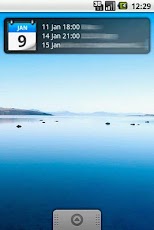
Smooth Calendar


A simple and good looking calendar widget. Displays anything from one to six upcoming events. Highly customisable it can be made to look and feel like the user wants it. Works with the sync providers on your phone and thereby supports Google Calendar, Exchange, Facebook etc.
It is a widget, this means that you need to add it to your home screen as stated in the thank you message. Giving it one star and stating in the comments that it doesn't work is just silly.
If you can't open the calendar after upgrading to ICS, try to select your calendar application in the Smooth Calendar settings.

Download From GooglePlay

Tuesday, September 18, 2012

IM+

Free! Beep, Skype, Facebook Chat, MSN, Yahoo, ICQ, Google Talk, MySpace & more.
IM+. One app, all your messaging.

IM+ has all your messaging needs covered, regardless of whether you want to text your address book contacts or stay in touch with your IM contacts.
Introducing Beep: free mobile-to-mobile in-app messenger.
We figured you've been looking for a free alternative to SMS for a while now. And now we've got that right in IM+. Available for Android smartphones/tablets and other mobile devices that your friends use IM+ on: iPhone, iPod Touch, iPad, BlackBerry and Windows Phone.
Whenever you send and receive text messages, photos or voice messages, IM+ Beep will make sure that your message was successfully sent and notify you when it is safely delivered. Push will make incoming messages instantly pop up on your device.
Always on, always instant, always fun.
IM+ supports all major IM services, including Facebook, Skype (as in-app purchase), MSN/Live Messenger, Google Talk, Yahoo!, AIM/iChat, ICQ, RenRen, Jabber, mig33, SINA Weibo, Fetion, Mamba.Ru, VKontakte, Odnoklassniki.Ru, Yandex IM and Mail.Ru Agent.
Below you may find the list of other amazing features which will definitely take your mobile IM experience to the next level:
- UI is optimized for both Android smartphones and Android tablet computers
- Send text messages, photos, and voice notes
- Group chats in MSN, AIM, ICQ
- Chat history
- Multiple accounts per service
- Create personal and geo status messages
- Customize your IMing experience with different sound notifications and emoticons
- Typing notifications
…and we're not done yet, new IM+ features will keep coming!

Download From GooglePlay

Saturday, September 15, 2012

Skype - free IM & video calls

Make free Skype-to-Skype video calls, and call phones at Skype rates on the move
Free voice and video calls to anyone else on Skype, whether they’re on an Android, iPhone, Mac or PC, as well as IMs to your friends and family, no matter where they are.

Features:
- Skype to Skype IMs, video and voice calls are free* over 3G or WiFi.
- Make low-cost calls and SMS to mobiles or landlines from your Android.
- Send pictures, videos and files to any of your contacts.
- Enjoy high-quality sound when you call anyone else on Skype.
- Talk face to face or show what you’re seeing with front and rear-facing cameras

Download From GooglePlay

Tuesday, September 11, 2012

GO SMS Pro


GO SMS PRO brings you cool UI, fast and convenient SMS/MMS experience.
GO SMS is the most popular messaging app; Very powerful, Cool, Funny, Safe, Fully customizable; Well support SMS/MMS + GO Chat(free message) + Walkie Talkie(free voice). MUST HAVE.

★ Features
-- Full SMS/MMS support
-- GO Share service, send file through 2G/3G/4G or WIFI or by one SMS
-- GO Chat/Facebook Chat support
-- Doodle, Handwriting
-- Private box
-- Schedule SMS
-- Batch modes
-- Popup with quick reply, privacy mode
-- SMS backup and restore by all or by conversations, can be sent to email
-- Many cool themes; also DIY theme, Theme Maker plug-in;
-- Fully customizable look; Supports chat or list style; Font changeable
-- Security lock, support lock by thread; Blacklist
-- Support GESTURE, left/right slip, many transition effect
-- Support Emoji with Emoji pulg-in
-- Settings backup and restore
-- Facebook contact photo support
-- Group texting
-- Notification with privacy mode and reminder notification
-- Support folders view: Inbox, Outbox, MMS, created folders, encrypt folders
-- Individual customization for Notification , Signature and Conversation
-- 1x1 icon widget with message count and 4x2 medium widget
-- Support many languages
-- Online SMS lib
-- Handy, build-in Contacts
-- Night mode
-- Stock SMS can be removed (but please be care)
-- Split large messages for CDMA
-- Time offset adjustment
-- Avoid disordered messages: sort by time or by order of msg sent/received
-- Localization support for accented chars: by enabling Czech, Polish and French SMS mode
-- Quick text management
-- Messages grouping (Group mode or Separate mode)

Download From GooglePlay

Thursday, September 6, 2012

GO Launcher EX


GO Launcher is the most popular home app in Android Market. It allows users to customize home screen, change themes, use smooth transition animation as well as various widgets and screen locks. It brings you a fresh and extraordinary mobile operation experience.

=Features=
- Thousands of personalized themes
- Various widgets and screen locks (weather, switcher, calendar…)
- Extremely smooth transition animation
- Smooth flipping operation
- User-defined folder to easily categorize apps
Many options in preferences to help you customize you phone!

Download From GooglePlay

Monday, September 3, 2012

LED FLASHLIGHT FOR ANDROID


Flashlight + LED Light. Brightest. Fastest. Simplest. Your own Tiny Flashlight.

Flashlight app for your device! Incredibly simple and yet very useful flashlight application. Will use your device's camera LED as a torch.

Tiny Flashlight is currently the best led flashlight app on the Android Market, because:
- It supports the widest range of devices with camera flashlight (led flash)
- It's also the brightest flashlight / torch on the market, because of the camera flashlight, which emits very intense light in the dark.
- Has different widgets to choose from
- Has great and diverse screen lights
- Has the best support

Light sources:
==============
* Camera LED flashlight - Uses your phone's camera flashlight (led flash) to emit bright light. Note that some devices don't have a camera flashlight. In this case the led flashlight option will be disabled, but you can still use one of the screen lights.
* Screen Light - This is the basic white screen flashlight, which is bright enough for daily use. You can use it as your primary flashlight option in case your device doesn't have a camera flashlight or you want to save the battery.
* Warning Lights, Police Lights, Color Flashlight, Strobe Flashlight, Morse Code, Text to Morse, Manual Morse Code, Camera Light - Different light sources, which may be useful in many situations. You can change the brightness and the colors.
Best Flashlight app when you need reliability, functionality, and lights diversity
CAUTION: Strobe lighting can trigger seizures in photosensitive epilepsy!
Flashlight Widget:
========
Tiny Flashlight is one of the few applications on the android market, which is free and has different widgets to choose from when the device has an option for a led flashlight.

Download From GooglePlay

Friday, August 31, 2012

Google Sky Map

Google Sky Map, an interactive guide to extraterrestrial bodies. Just orient the Android gadget's bottom towards the sky, and you'll see a virtual version of what's actually there on the screen. Complete information including the names of constellations as well as longitudinal and latitudinal lines help users understand what they're seeing.

Download From GooglePlay

Tuesday, August 28, 2012

Compass


Android's leading compass app with location display and geo-tagged notes.
ANDROID'S LEADING COMPASS APP
Featured in “Best Android Apps, The Guide for Discriminating Downloaders”, published by O’Reilly Media, Compass by Catch.com is the most popular compass app available.

NEVER GET LOST
Compass view with location display and geo-tagged notes lets you not only steer in the right direction, but view maps and keep notes of the places you visit.

REMEMBER IMPORTANT PLACES
• Save your favorite places (home, work place, school, restaurant, shops, etc.) or even your car location. Navigate back to them later with Google Navigation.
• Capture and view your location-based notes in your area using the free Catch app.

CHOOSE FROM MULTIPLE COMPASS TYPES
Compass is a free app that includes 4 basic compass types
"Vintage"
• Antique dial, direction names adjust for user's language.
"Digital"
• Outer dial can be manually rotated, green inner dial shows direction name in user's language, crisp pointer movement with no overshoot.
"GPS"
• Red section shows magnetic compass information including direction, magnetic field strength and declination. Green sections show GPS-based information including direction of movement, speed, altitude, and accuracy estimate. Pitch and roll indicators.
"NightVision"
• Red outline on black styling for easy reading in low-light conditions.

PREPARE FOR ADVENTURE
Now Compass offers premium compass themes with a simple in-app purchase. Choose from among our Urban Hiker, Space Cowboy, Sea Navigator and Special Ops themes, or buy all four for one low price.
“Urban Hiker”
• Hand points up, compass dial rotates underneath it. Shows direction and latitude/longitude below the compass. Paper texture and city skyline background.
“Special Ops”
• Shows magnetic compass information including direction, magnetic field strength and declination. Also shows GPS-based information including direction of movement, speed, altitude, and accuracy estimate. Pitch and roll indicators.
• Digital camouflage background.
“Sea Navigator”
• Outer dial can be manually rotated, inner dial points north with slight overshoot, "moving" direction below compass.
“Space Cowboy”
• Inner digital direction indication with finely-marked outer dial. Dial movement is crisp. Latitude and longitude below compass.

Internet permission is used only for Google Analytics so we know which features are used the most and where to improve. There is no unique identifier tied to your usage, and your data is not shared.
Note that this app relies on the mobile device’s magnetometer so accuracy may vary.
Download From GooglePlay

Friday, August 24, 2012

One Touch Battery Saver Android


When the power is insufficient in your device, you can click "Power saving" mode to activate the mode. At the time the following changes will occur : inactivate WIFI, Bluetooth, GPS location system, background light、vibration and synchronization; Activate silent mode. You can also press “setting”button to personalize items you want to close.
Click “Power saving”button again to close the mode and return to last activated mode.
Two kinds of desktop widget(1x1,2x1) to help you quick start and close power saving mode.
Functions:
*Battery Monitor, clearly shows the status of battery life and usage.
*Switching & managing Wifi, bluetooth, GPS, background light, sound, synchronization in one touch, saves battery with efficiency.
*Self-Customized Saving Mode, user can adjust the battery saving setting freely to fit each one's needs.
*Battery Usage Setting, will adjust the battery usage status automatically to monitor the battery life more accurately.
*3 different battery models to choose, to fit your needs and style.
*Tab widget: comes with 2 styles (1x1, 2x1), different styles of widget allow you to turn on the app with one tap! Easy and fast!
Download From GooglePlay

Tuesday, August 21, 2012

PhoneUsage


Save money!
Monitor your phone call, text and data usage.
Save money on your phone bill!
Monitor your phone call, text and network data usage.


★ Set limits on daily, weekly and monthly usage.
★ Alerts when you break your usage limits.
★ Widgets for calls, texts and data.
★ See which apps are using the most data.
★ See who you call the most.
★ See usage per hour, day, week and month.
Stay with in your limits and save money on your monthly bill.
SET UP:
★ Set your monthly billing date
★ Choose daily, weekly and monthly limits
★ Get notified if you break your limits

DATA:
★ Net counter counts Edge/3G/GPRS mobile data.
★ Pie chart of break down of data per app is available on android 2.2+ only and includes both wifi and mobile data.
★ All other charts and figures exclude wifi.


Download From GooglePlay